
Episode 50
The Harvard sentences
5 chapters · 0:52
A transport bar for one recording: skip back and forward, play, a seek bar, time, volume and speed. Its ref is a small handle, so a transcript or a chapter list can seek and play it from outside.
"use client";

import { useRef, useState } from "react";

import { Button } from "@/components/forme/button/button";
import { AudioPlayer, formatTime } from "@/components/forme/audio-player/audio-player";
import type { AudioPlayerHandle } from "@/components/forme/audio-player/audio-player";

// Anything can drive the player through its handle: here, a list of
// bookmarks that each seek and play.
const bookmarks = [
  { label: "Tales", at: 2.7 },
  { label: "Pears", at: 11.1 },
  { label: "Kite", at: 19.5 },
  { label: "Orchid", at: 41.9 },
];

export function AudioPlayerDemo() {
  const player = useRef<AudioPlayerHandle>(null);
  const [time, setTime] = useState(0);

  return (
    <div className="flex w-full max-w-2xl flex-col gap-4">
      <AudioPlayer
        ref={player}
        src="/audio/harvard-sentences.wav"
        onTimeUpdate={setTime}
        aria-label="Harvard sentences"
      />
      <div className="flex flex-wrap items-center gap-2">
        <span className="text-caption-1-medium text-muted-foreground">Jump to</span>
        {bookmarks.map((bookmark) => (
          <Button
            key={bookmark.label}
            variant="secondary"
            size="small"
            onClick={() => player.current?.seek(bookmark.at, { play: true })}
          >
            {bookmark.label}
            <span className="text-muted-foreground tnum">{formatTime(bookmark.at)}</span>
          </Button>
        ))}
        <span className="ml-auto text-caption-1-medium text-muted-foreground tnum">
          Reported: {time.toFixed(1)}s
        </span>
      </div>
    </div>
  );
}Adds the component, its registry dependencies, and the token stylesheet you import once.
6 more ways to put it to work. Install one by name and it lands beside the component, or copy it from the Code tab into your app.
An episode with a chapter list: the starts become markers on the waveform, the current chapter fills as it plays, and any chapter seeks and plays.
"use client";

import { useRef, useState } from "react";

import { cn } from "@/components/forme/lib/cn";
import { AudioPlayer, formatTime } from "@/components/forme/audio-player/audio-player";
import type { AudioPlayerHandle } from "@/components/forme/audio-player/audio-player";

// Chapter starts in seconds, as an episode's show notes would list them.
const chapters = [
  { start: 0, title: "Tales and a barred door" },
  { start: 11.1, title: "Ripe pears and a wet carpet" },
  { start: 19.5, title: "A kite that stayed aloft" },
  { start: 28.8, title: "A crowded room, said twice" },
  { start: 41.9, title: "An orchid and a June beetle" },
];
const END = 52;

export function ChaptersExample() {
  const player = useRef<AudioPlayerHandle>(null);
  const [time, setTime] = useState(0);
  const current = chapters.findLastIndex((chapter) => chapter.start <= time);

  return (
    <article className="flex w-full max-w-xl flex-col gap-4 rounded-3xl border border-border bg-card p-4 lit edge">
      <header className="flex items-center gap-3">
        {/* eslint-disable-next-line @next/next/no-img-element */}
        <img
          src="/images/cover2.webp"
          alt=""
          className="size-14 shrink-0 rounded-xl border border-border object-cover"
        />
        <div className="min-w-0">
          <p className="text-caption-1-medium text-muted-foreground">Episode 50</p>
          <h3 className="truncate text-body-medium text-foreground">The Harvard sentences</h3>
          <p className="text-caption-1-regular text-muted-foreground">
            {chapters.length} chapters · {formatTime(END)}
          </p>
        </div>
      </header>

      <AudioPlayer
        ref={player}
        src="/audio/harvard-sentences.wav"
        markers={chapters.map((chapter) => chapter.start)}
        onTimeUpdate={setTime}
        aria-label="Episode 50"
        // Inside the card the player is a well, not a second card.
        className="border-transparent bg-none bg-muted shadow-none"
      />

      <ol aria-label="Chapters" className="flex flex-col gap-0.5">
        {chapters.map((chapter, index) => {
          const active = index === current;
          const end = chapters[index + 1]?.start ?? END;
          const fill = active ? Math.min(1, (time - chapter.start) / (end - chapter.start)) : 0;
          return (
            <li key={chapter.start}>
              <button
                type="button"
                aria-current={active ? "true" : undefined}
                onClick={() => player.current?.seek(chapter.start, { play: true })}
                className={cn(
                  "relative flex w-full cursor-pointer items-center gap-3 overflow-hidden rounded-md px-2.5 py-2 text-left outline-none focus-visible:ring-2 focus-visible:ring-ring",
                  active ? "bg-muted" : "hover:bg-accent",
                )}
              >
                <span
                  className={cn(
                    "grid size-6 shrink-0 place-items-center rounded-sm text-caption-1-semibold tnum",
                    active ? "bg-brand-subtle text-brand-strong" : "text-muted-foreground",
                  )}
                >
                  {index + 1}
                </span>
                <span
                  className={cn(
                    "min-w-0 flex-1 truncate text-body-2-medium",
                    active ? "text-foreground" : "text-muted-foreground",
                  )}
                >
                  {chapter.title}
                </span>
                <span className="shrink-0 text-caption-1-medium text-muted-foreground tnum">
                  {formatTime(chapter.start)}
                </span>
                {/* How far through the chapter playback is, along its bottom edge. */}
                <span
                  aria-hidden
                  className="absolute inset-x-0 bottom-0 h-0.5 origin-left bg-primary"
                  style={{ scale: `${fill} 1` }}
                />
              </button>
            </li>
          );
        })}
      </ol>
    </article>
  );
}Space, J, K, L, the arrows, M and the number keys, all through the player's handle, with each action confirmed as it happens.
"use client";

import { useEffect, useRef, useState } from "react";

import { cn } from "@/components/forme/lib/cn";
import { Kbd } from "@/components/forme/kbd/kbd";
import { AudioPlayer, formatTime } from "@/components/forme/audio-player/audio-player";
import type { AudioPlayerHandle } from "@/components/forme/audio-player/audio-player";

const shortcuts = [
  { keys: ["Space", "K"], label: "Play or pause" },
  { keys: ["J", "L"], label: "Back or forward 10s" },
  { keys: ["←", "→"], label: "Back or forward 5s" },
  { keys: ["M"], label: "Mute" },
  { keys: ["0–9"], label: "Jump to 0–90%" },
];

export function KeyboardExample() {
  const region = useRef<HTMLDivElement>(null);
  const player = useRef<AudioPlayerHandle>(null);
  // The last action, keyed so the confirmation replays on every press.
  const [flash, setFlash] = useState({ id: 0, text: "", shown: false });

  useEffect(() => {
    const element = region.current;
    if (!element) return;

    function onKeyDown(event: KeyboardEvent) {
      const audio = player.current?.element;
      const target = event.target as HTMLElement;
      // Buttons and sliders inside the player own Space and the arrow keys.
      if (!audio || event.metaKey || event.ctrlKey || event.altKey) return;
      if (target.closest("button, [role=slider], input")) {
        if (event.key === " " || event.key.startsWith("Arrow")) return;
      }

      const skip = (by: number) => {
        player.current?.seek(audio.currentTime + by);
        return `${by > 0 ? "+" : "−"}${Math.abs(by)}s`;
      };
      const key = event.key.toLowerCase();
      let text: string | null = null;
      if (key === " " || key === "k") {
        text = audio.paused ? "Play" : "Pause";
        player.current?.toggle();
      } else if (key === "j") text = skip(-10);
      else if (key === "l") text = skip(10);
      else if (key === "arrowleft") text = skip(-5);
      else if (key === "arrowright") text = skip(5);
      else if (key === "m") {
        audio.muted = !audio.muted;
        text = audio.muted ? "Muted" : "Sound on";
      } else if (/^[0-9]$/.test(key) && Number.isFinite(audio.duration)) {
        const at = (Number(key) / 10) * audio.duration;
        player.current?.seek(at);
        text = formatTime(at);
      }
      if (text === null) return;
      event.preventDefault();
      setFlash((current) => ({ id: current.id + 1, text: text!, shown: true }));
    }

    element.addEventListener("keydown", onKeyDown);
    return () => element.removeEventListener("keydown", onKeyDown);
  }, []);

  // Keeps its text while it fades, so the exit is a fade and not a blank.
  useEffect(() => {
    if (!flash.shown) return;
    const timer = setTimeout(() => setFlash((current) => ({ ...current, shown: false })), 900);
    return () => clearTimeout(timer);
  }, [flash]);

  return (
    <div className="flex w-full max-w-2xl flex-col gap-4">
      {/* The shortcuts apply while focus is anywhere in here, so they never
          fight the page's own keys. Click the bar or tab in to start. */}
      <div
        ref={region}
        role="group"
        aria-label="Audio player with keyboard shortcuts"
        aria-keyshortcuts="Space K J L ArrowLeft ArrowRight M"
        // A tab stop of its own, so the shortcuts work before any control is focused.
        // oxlint-disable-next-line jsx-a11y/no-noninteractive-tabindex
        tabIndex={0}
        className="relative rounded-xl outline-none focus-visible:ring-2 focus-visible:ring-ring focus-visible:ring-offset-2"
      >
        <AudioPlayer
          ref={player}
          src="/audio/harvard-sentences.wav"
          aria-label="Harvard sentences"
        />
        <span
          key={flash.id}
          aria-live="polite"
          className={cn(
            "pointer-events-none absolute -top-3 left-1/2 -translate-x-1/2 -translate-y-full rounded-md floating px-2.5 py-1 text-caption-1-semibold text-foreground tnum",
            flash.shown
              ? "animate-enter"
              : "opacity-0 transition-[opacity] duration-fast ease-exit",
          )}
        >
          {flash.text}
        </span>
      </div>

      <dl className="grid gap-x-6 gap-y-2 sm:grid-cols-2">
        {shortcuts.map((shortcut) => (
          <div key={shortcut.label} className="flex items-center justify-between gap-3">
            <dt className="text-body-2-regular text-muted-foreground">{shortcut.label}</dt>
            <dd className="flex items-center gap-1">
              {shortcut.keys.map((key) => (
                <Kbd key={key}>{key}</Kbd>
              ))}
            </dd>
          </div>
        ))}
      </dl>
    </div>
  );
}waveform={false}: a line instead of the recording's shape, and no download to draw it — the choice for long files.
import { AudioPlayer } from "@/components/forme/audio-player/audio-player";

export function PlainSeekBarExample() {
  return (
    <div className="w-full max-w-2xl">
      {/* `waveform={false}`: a line instead of the recording's shape, and no
          download to draw it. The choice for long files. */}
      <AudioPlayer src="/audio/harvard-sentences.wav" waveform={false} />
    </div>
  );
}volume="popover": the icon mutes and unmutes on click, and a slider opens above it on hover or focus.
import { AudioPlayer } from "@/components/forme/audio-player/audio-player";

export function VolumePopoverExample() {
  return (
    <div className="w-full max-w-2xl pt-28">
      {/* `volume="popover"`: the icon mutes on click, and the slider opens
          above it on hover or when focus reaches it. */}
      <AudioPlayer src="/audio/harvard-sentences.wav" volume="popover" />
    </div>
  );
}waveform, speed and volume all off: transport, seek and time only, with the device owning the volume.
import { AudioPlayer } from "@/components/forme/audio-player/audio-player";

export function BareExample() {
  return (
    <div className="w-full max-w-md">
      {/* Transport, seek and time only: the device owns the volume and the
          speed stays at 1×. */}
      <AudioPlayer
        src="/audio/harvard-sentences.wav"
        waveform={false}
        speed={false}
        volume={false}
      />
    </div>
  );
}A media card that reacts to playback through onPlayingChange, with the player cut to the essentials: a plain seek bar, no speed button and volume in a popover.
"use client";

import { useState } from "react";

import { cn } from "@/components/forme/lib/cn";
import { Waveform } from "@/components/forme/waveform/waveform";
import { AudioPlayer } from "@/components/forme/audio-player/audio-player";

export function NowPlayingExample() {
  const [playing, setPlaying] = useState(false);

  return (
    <article className="flex w-full max-w-2xl flex-col gap-4 rounded-3xl border border-border bg-card p-4 lit edge sm:flex-row sm:items-center">
      <div className="relative aspect-square w-full shrink-0 overflow-hidden rounded-xl border border-border sm:w-36">
        {/* The art leans in while the recording plays: the card's one sign of life at a glance. */}
        {/* eslint-disable-next-line @next/next/no-img-element */}
        <img
          src="/images/lake.webp"
          alt=""
          className={cn(
            "size-full object-cover transition-[scale] duration-modal ease-standard",
            playing && "scale-105",
          )}
        />
      </div>

      <div className="flex min-w-0 flex-1 flex-col gap-3">
        <div className="flex flex-col gap-1">
          <p className="flex h-4 items-center gap-2 text-caption-1-medium text-muted-foreground">
            {playing ? (
              <>
                <Waveform
                  state="speaking"
                  bars={4}
                  aria-label=""
                  className="h-3 animate-enter text-brand-strong"
                />
                <span className="animate-enter text-brand-strong">Now playing</span>
              </>
            ) : (
              "Recording · 8 kHz"
            )}
          </p>
          <h3 className="truncate text-title-2-semibold text-foreground">Harvard sentences</h3>
          <p className="text-body-2-regular text-muted-foreground">
            Open Speech Repository, list 50 — eleven sentences read for speech testing.
          </p>
        </div>

        <AudioPlayer
          src="/audio/harvard-sentences.wav"
          onPlayingChange={setPlaying}
          // A card has room for the essentials only: a plain seek bar, no speed
          // button, and volume tucked behind its icon.
          waveform={false}
          speed={false}
          volume="popover"
          aria-label="Harvard sentences"
          // Inside the card the player is a well, not a second card.
          className="border-transparent bg-none bg-muted shadow-none"
        />
      </div>
    </article>
  );
}Read from the source, so it is the API of the file you install. A prop marked * is required.
A transport bar for one recording: back, play, forward, the recording's own waveform to scrub, the time, volume and speed. It owns its <audio> element and hands a small handle to its ref, so a transcript, a chapter list or a keyboard shortcut can seek and play it without lifting any state — and onTimeUpdate tells them where playback is.
| Prop | Type | Default | Description |
|---|---|---|---|
src* | string | Blob | — | A URL, or a Blob such as a recording or a synthesised reply. |
ref | Ref<AudioPlayerHandle> | — | |
markers | readonly number[] | — | Start times, in seconds, of the parts of the recording: transcript segments, chapters. The skip buttons step between them and the seek bar marks where each begins. Without them the skip buttons move skip seconds. |
skip | number | 10 | Seconds the skip buttons move when there are no markers. |
waveform | boolean | true | Draws the seek bar as the recording's waveform. The player downloads and decodes the file to find it, which suits clips and voice notes; for long recordings pass precomputed peaks instead, or turn it off. |
speed | boolean | true | The speed button, which steps through 1×, 1.25×, 1.5×, 2× and 0.75×. |
volume | "slider" | "popover" | false | "slider" | How volume is offered. "slider" puts a mute button and a slider in the bar; "popover" keeps only the button, which mutes on click and shows a slider above it on hover or focus; false leaves volume to the device. |
peaks | readonly number[] | — | Loudness, 0–1, evenly spaced across the recording — as audiowaveform or a server job produces. |
onTimeUpdate | (seconds: number) => void | — | Fires as playback moves, every frame while playing, in seconds. |
onPlayingChange | (playing: boolean) => void | — | |
aria-label | string | — | |
className | string | — |
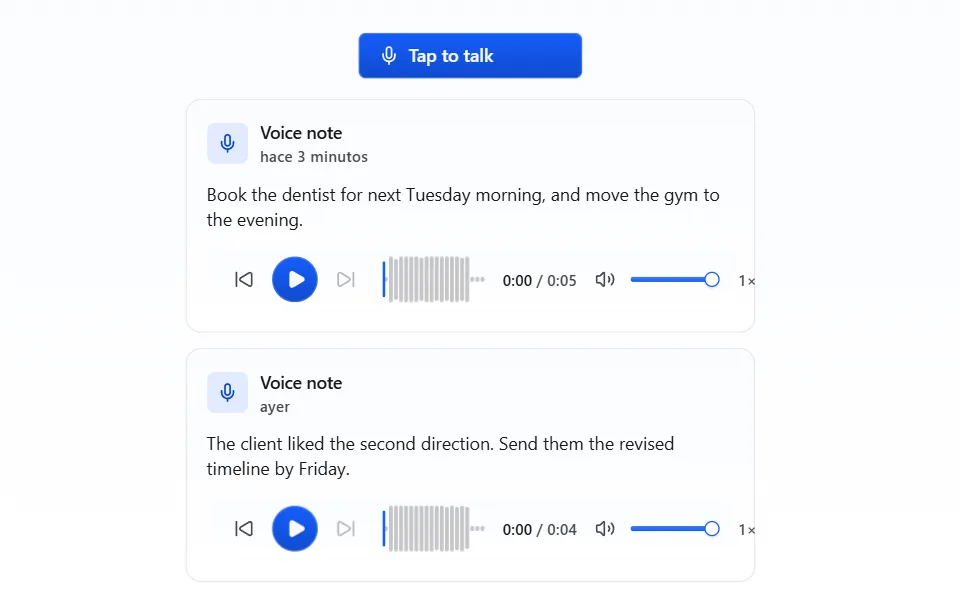
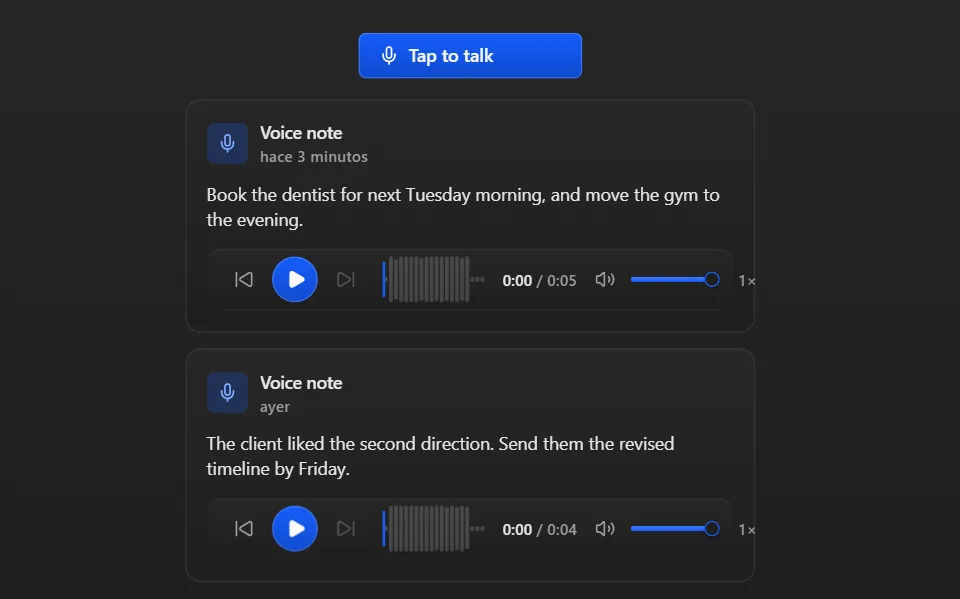
One entry in a list of voice notes: when it was recorded, what was said and the recording to check it against. While transcription runs it holds its place with a waveform and placeholder lines.
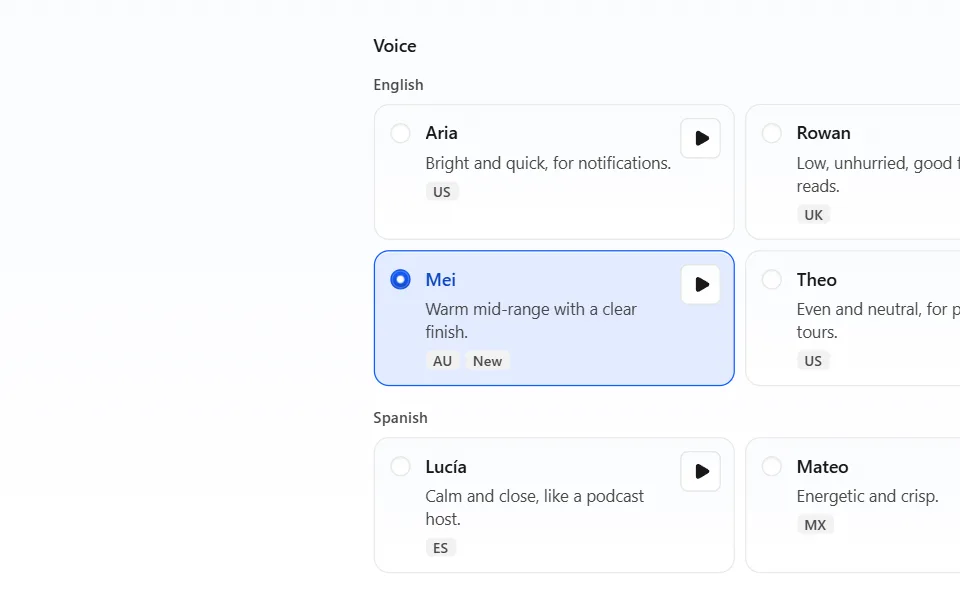
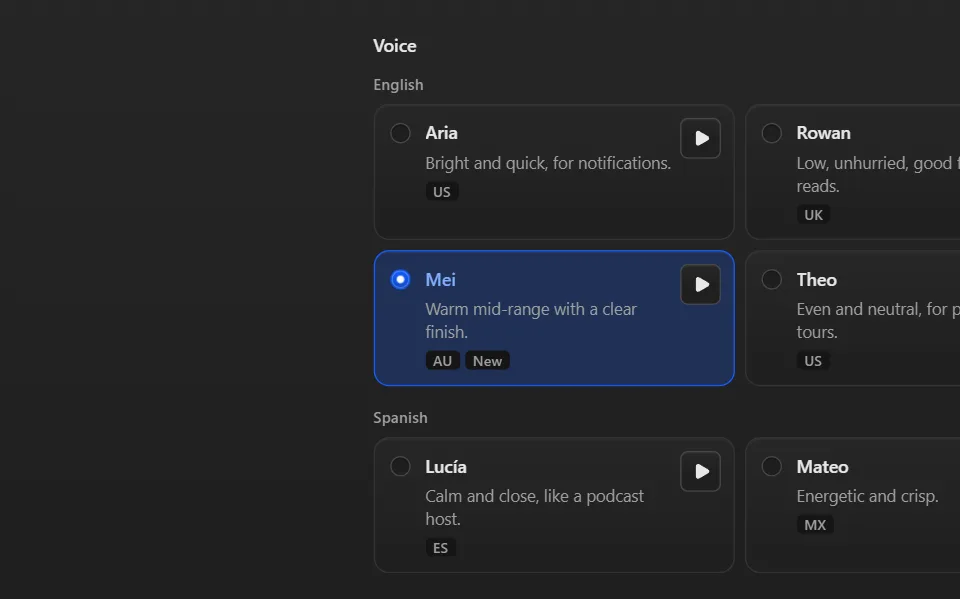
Choose a text-to-speech voice by ear: grouped voice cards in one radio group, each with a play button for a sample beside the radio, and a waveform on the one that is playing.
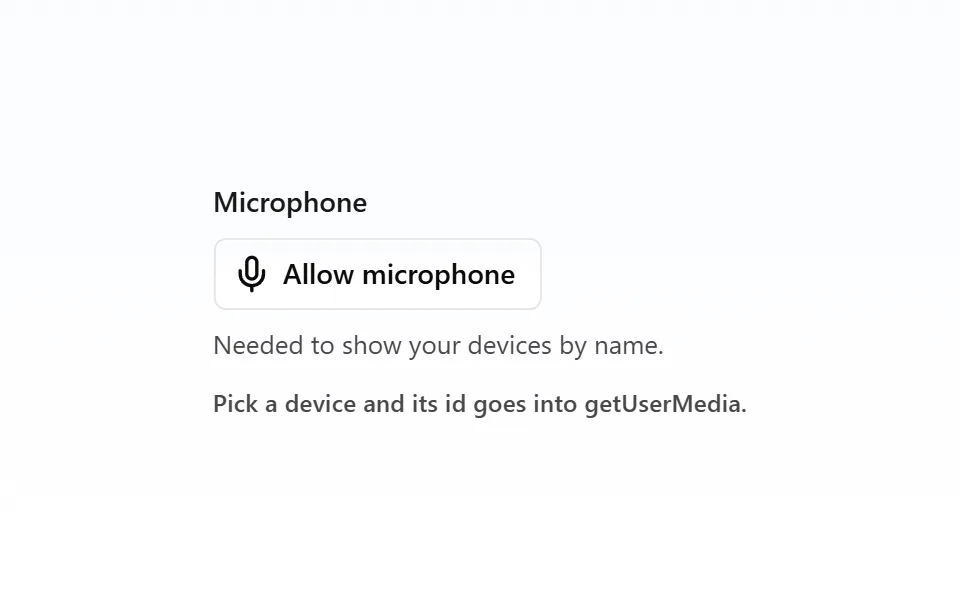
A microphone picker that asks for permission first, so devices show by name rather than as blanks, then stays current as headsets are plugged in and out. Hands back a deviceId for getUserMedia.
Episode 50
5 chapters · 0:52

Recording · 8 kHz
Open Speech Repository, list 50 — eleven sentences read for speech testing.