Trace
traceThe steps an agent takes, one line each: reasoning, tool calls, sources, plans and subagent runs. Every line has an icon, a title, a description and a status, sweeps while running, and can open its output, link away, open a dialog, or nest a whole Trace.
import { Bot, Brain, FileText, Globe, ListChecks, Search, SquareTerminal } from "lucide-react";

import { CodeBlock } from "@/components/forme/code-block/code-block";
import {
  Trace,
  TraceContent,
  TraceDescription,
  TraceIcon,
  TraceItem,
  TraceRow,
  TraceStatus,
  TraceTitle,
  TraceTrigger,
} from "@/components/forme/trace/trace";

const OUTPUT = `$ pnpm test billing
 ✓ prorates a mid-cycle upgrade (12 ms)
 ✓ credits unused seats on downgrade (4 ms)
 ✓ keeps the anchor date (2 ms)

Tests  3 passed (3)`;

export function TraceDemo() {
  return (
    <div className="w-full max-w-xl">
      <Trace label="Agent steps">
        <TraceItem>
          <TraceTrigger>
            <TraceIcon>
              <Brain />
            </TraceIcon>
            <TraceTitle>Thought for 4s</TraceTitle>
          </TraceTrigger>
          <TraceContent>
            <p>
              Prorations live in billing/plans.ts. The upgrade path charges the full price on the
              same day, so I need the remaining days in the cycle and the price difference.
            </p>
          </TraceContent>
        </TraceItem>

        <TraceItem defaultOpen>
          <TraceTrigger>
            <TraceIcon>
              <Search />
            </TraceIcon>
            <TraceTitle>Searched the web</TraceTitle>
            <TraceDescription>stripe mid-cycle proration</TraceDescription>
            <TraceStatus>3 results</TraceStatus>
          </TraceTrigger>
          <TraceContent>
            <Trace label="Results">
              {[
                ["Prorations", "docs.stripe.com"],
                ["Upgrade and downgrade subscriptions", "docs.stripe.com"],
                ["Proration behaviour in Paddle", "developer.paddle.com"],
              ].map(([title, host]) => (
                <TraceItem key={title}>
                  <TraceRow asChild>
                    <a href="#trace" className="no-underline">
                      <TraceIcon>
                        <Globe />
                      </TraceIcon>
                      <TraceTitle className="text-body-2-regular">{title}</TraceTitle>
                      <TraceDescription>{host}</TraceDescription>
                    </a>
                  </TraceRow>
                </TraceItem>
              ))}
            </Trace>
          </TraceContent>
        </TraceItem>

        <TraceItem>
          <TraceTrigger>
            <TraceIcon>
              <SquareTerminal />
            </TraceIcon>
            <TraceTitle>Ran the billing tests</TraceTitle>
            <TraceDescription className="font-mono">pnpm test billing</TraceDescription>
            <TraceStatus>1.2s</TraceStatus>
          </TraceTrigger>
          <TraceContent>
            <CodeBlock code={OUTPUT} size="small" header={false} lineNumbers={false} />
          </TraceContent>
        </TraceItem>

        <TraceItem status="error">
          <TraceRow>
            <TraceIcon>
              <FileText />
            </TraceIcon>
            <TraceTitle>Read billing/legacy.ts</TraceTitle>
            <TraceDescription>File not found</TraceDescription>
            <TraceStatus />
          </TraceRow>
        </TraceItem>

        <TraceItem status="running" defaultOpen>
          <TraceTrigger>
            <TraceIcon>
              <Bot />
            </TraceIcon>
            <TraceTitle>Reviewer subagent</TraceTitle>
            <TraceDescription>Checking the change</TraceDescription>
            <TraceStatus />
          </TraceTrigger>
          <TraceContent>
            <Trace label="Reviewer steps">
              <TraceItem>
                <TraceRow>
                  <TraceIcon>
                    <FileText />
                  </TraceIcon>
                  <TraceTitle className="text-body-2-regular">Read billing/plans.ts</TraceTitle>
                  <TraceStatus>0.3s</TraceStatus>
                </TraceRow>
              </TraceItem>
              <TraceItem status="running">
                <TraceRow>
                  <TraceIcon>
                    <ListChecks />
                  </TraceIcon>
                  <TraceTitle className="text-body-2-regular">
                    Comparing against the spec
                  </TraceTitle>
                  <TraceStatus />
                </TraceRow>
              </TraceItem>
            </Trace>
          </TraceContent>
        </TraceItem>

        <TraceItem status="pending">
          <TraceRow>
            <TraceIcon>
              <SquareTerminal />
            </TraceIcon>
            <TraceTitle>Open a pull request</TraceTitle>
            <TraceStatus />
          </TraceRow>
        </TraceItem>
      </Trace>
    </div>
  );
}
Install
Adds the component, its registry dependencies, and the token stylesheet you import once.
Examples
2 more ways to put it to work. Install one by name and it lands beside the component, or copy it from the Code tab into your app.
Lines that open a dialog
TraceRow asChild around a dialog trigger: a source opens its page in a dialog instead of expanding in place.
import { Globe } from "lucide-react";

import {
  Dialog,
  DialogContent,
  DialogDescription,
  DialogHeader,
  DialogTitle,
  DialogTrigger,
} from "@/components/forme/dialog/dialog";
import { Trace, TraceDescription, TraceIcon, TraceItem, TraceRow, TraceTitle } from "@/components/forme/trace/trace";

const SOURCES = [
  {
    title: "Prorations",
    host: "docs.stripe.com",
    excerpt:
      "When a customer changes plans mid-cycle, Stripe credits the unused time on the old price and charges the remaining time on the new one.",
  },
  {
    title: "Billing cycle anchors",
    host: "docs.stripe.com",
    excerpt:
      "The anchor decides when invoices are created. Upgrades keep it unless you reset it explicitly.",
  },
];

export function OverlayExample() {
  return (
    <Trace label="Sources" className="w-full max-w-md">
      {SOURCES.map((source) => (
        <TraceItem key={source.title}>
          <Dialog>
            {/* The row merges onto the trigger, so the whole line opens the dialog. */}
            <TraceRow asChild>
              <DialogTrigger>
                <TraceIcon>
                  <Globe />
                </TraceIcon>
                <TraceTitle>{source.title}</TraceTitle>
                <TraceDescription>{source.host}</TraceDescription>
              </DialogTrigger>
            </TraceRow>
            <DialogContent>
              <DialogHeader>
                <DialogTitle>{source.title}</DialogTitle>
                <DialogDescription>{source.host}</DialogDescription>
              </DialogHeader>
              <p className="text-body-2-regular text-muted-foreground">{source.excerpt}</p>
            </DialogContent>
          </Dialog>
        </TraceItem>
      ))}
    </Trace>
  );
}
From AI SDK message parts
One switch turns reasoning, tool and source parts from useChat into Trace lines, status included.
import { Brain, Globe, Wrench } from "lucide-react";

import { CodeBlock } from "@/components/forme/code-block/code-block";
import {
  Trace,
  TraceContent,
  TraceDescription,
  TraceIcon,
  TraceItem,
  TraceRow,
  TraceStatus,
  TraceTitle,
  TraceTrigger,
} from "@/components/forme/trace/trace";
import type { TraceStatusValue } from "@/components/forme/trace/trace";

/**
 * The parts of an AI SDK `UIMessage` that are steps rather than prose. Written
 * out here so the example runs without the `ai` package; with it, use
 * `UIMessage["parts"][number]`.
 */
type Part =
  | { type: "text"; text: string }
  | { type: "reasoning"; text: string; state?: "streaming" | "done" }
  | {
      type: `tool-${string}`;
      toolCallId: string;
      state: "input-streaming" | "input-available" | "output-available" | "output-error";
      input?: unknown;
      output?: unknown;
      errorText?: string;
    }
  | { type: "source-url"; sourceId: string; url: string; title?: string };

const PARTS: Part[] = [
  { type: "reasoning", text: "The user wants this week's failed deploys.", state: "done" },
  {
    type: "tool-listDeploys",
    toolCallId: "call_1",
    state: "output-available",
    input: { status: "failed", since: "7d" },
    output: [{ id: "dpl_82", app: "web", reason: "Build timed out" }],
  },
  { type: "source-url", sourceId: "s1", url: "https://vercel.com/docs/deployments" },
  { type: "tool-getLogs", toolCallId: "call_2", state: "input-available", input: { id: "dpl_82" } },
];

function toolStatus(state: string): TraceStatusValue {
  if (state === "output-available") return "done";
  if (state === "output-error") return "error";
  return "running";
}

function TracePart({ part }: { part: Part }) {
  if (part.type === "reasoning") {
    return (
      <TraceItem status={part.state === "streaming" ? "running" : "done"}>
        <TraceTrigger>
          <TraceIcon>
            <Brain />
          </TraceIcon>
          <TraceTitle>{part.state === "streaming" ? "Thinking" : "Reasoning"}</TraceTitle>
        </TraceTrigger>
        <TraceContent>{part.text}</TraceContent>
      </TraceItem>
    );
  }
  if (part.type === "source-url") {
    return (
      <TraceItem>
        <TraceRow asChild>
          <a href={part.url} target="_blank" rel="noreferrer" className="no-underline">
            <TraceIcon>
              <Globe />
            </TraceIcon>
            <TraceTitle>{part.title ?? new URL(part.url).hostname}</TraceTitle>
            <TraceDescription>{part.url}</TraceDescription>
          </a>
        </TraceRow>
      </TraceItem>
    );
  }
  if (part.type.startsWith("tool-") && "toolCallId" in part) {
    const name = part.type.slice(5);
    return (
      <TraceItem status={toolStatus(part.state)}>
        <TraceTrigger>
          <TraceIcon>
            <Wrench />
          </TraceIcon>
          <TraceTitle className="font-mono">{name}</TraceTitle>
          <TraceDescription>{JSON.stringify(part.input)}</TraceDescription>
          <TraceStatus />
        </TraceTrigger>
        <TraceContent>
          <CodeBlock
            code={JSON.stringify(part.output ?? part.errorText ?? null, null, 2)}
            language="json"
            size="small"
            title="Output"
            lineNumbers={false}
          />
        </TraceContent>
      </TraceItem>
    );
  }
  return null;
}

export function AiSdkExample() {
  return (
    <Trace label="Agent steps" className="w-full max-w-xl">
      {PARTS.map((part, index) => (
        <TracePart key={index} part={part} />
      ))}
    </Trace>
  );
}
API reference
Read from the source, so it is the API of the file you install. A prop marked * is required.
Trace
What an agent did, one line per step.
| Prop | Type | Default | Description |
|---|---|---|---|
label | string | — | Names the list for screen readers: "Research", "Steps". |
Also takes every prop of <ol> attributes.
TraceItem
One step. A Collapsible root drawn as a list item, so a TraceTrigger inside it opens its TraceContent; with neither, it is just a line.
| Prop | Type | Default | Description |
|---|---|---|---|
status | 'done' | 'running' | 'error' | 'pending' | "done" | |
defaultOpen | boolean | — | Whether TraceContent starts open. Uncontrolled. |
open | boolean | — | |
onOpenChange | (open: boolean) => void | — |
Also takes every prop of <li> attributes.
TraceRow
A line that does not open anything here: plain, or a link or overlay trigger with asChild.
| Prop | Type | Default | Description |
|---|---|---|---|
asChild | boolean | — | Merge onto the one child instead: a link, or a dialog, sheet or popover trigger. |
Also takes every prop of <div> attributes.
TraceContent
What the step opens into: its output, its sources, or a nested Trace. Lined up under the title, so the hairline runs past it to the next step.
| Prop | Type | Default | Description |
|---|---|---|---|
children | ReactNode | — |
Also takes every prop of Omit<ComponentProps<typeof Collapsible.Panel>, "children">.
The other parts
TraceTriggerTakesComponentProps<typeof Collapsible.Trigger>TraceIconTakes<span>attributesTraceTitleTakes<span>attributesTraceDescriptionTakes<span>attributesTraceStatusTakes<span>attributes
Related
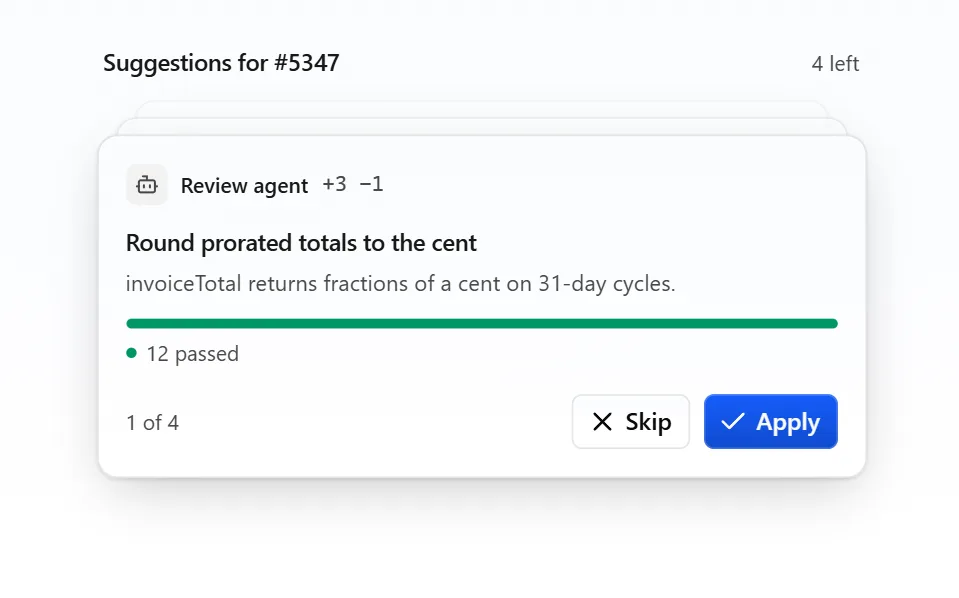
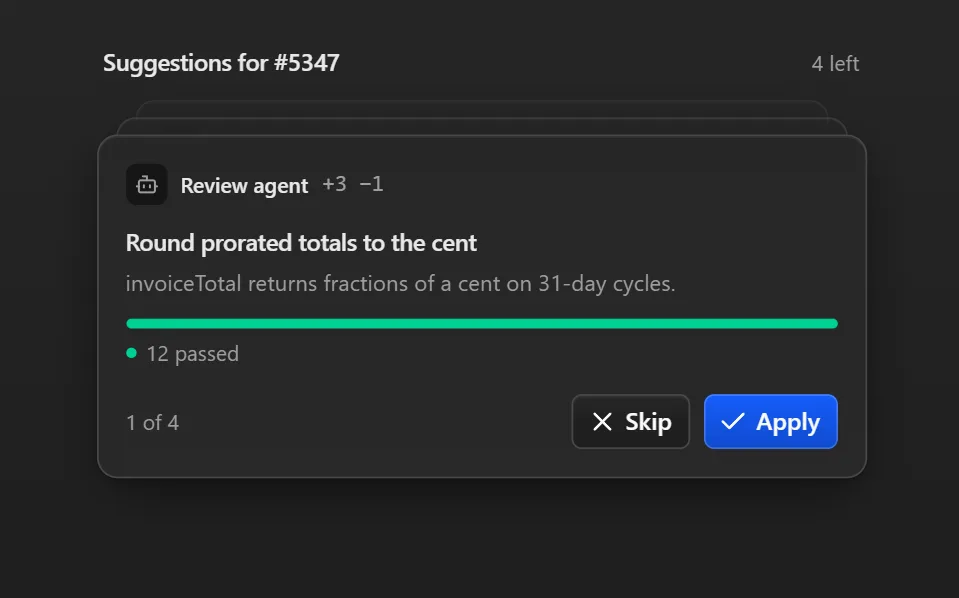
Suggestion Stack
An agent's suggestions as a stack of cards, decided one at a time: apply or skip, or drag the card either way. The next ones peek out behind, and checks show as a split bar.
data display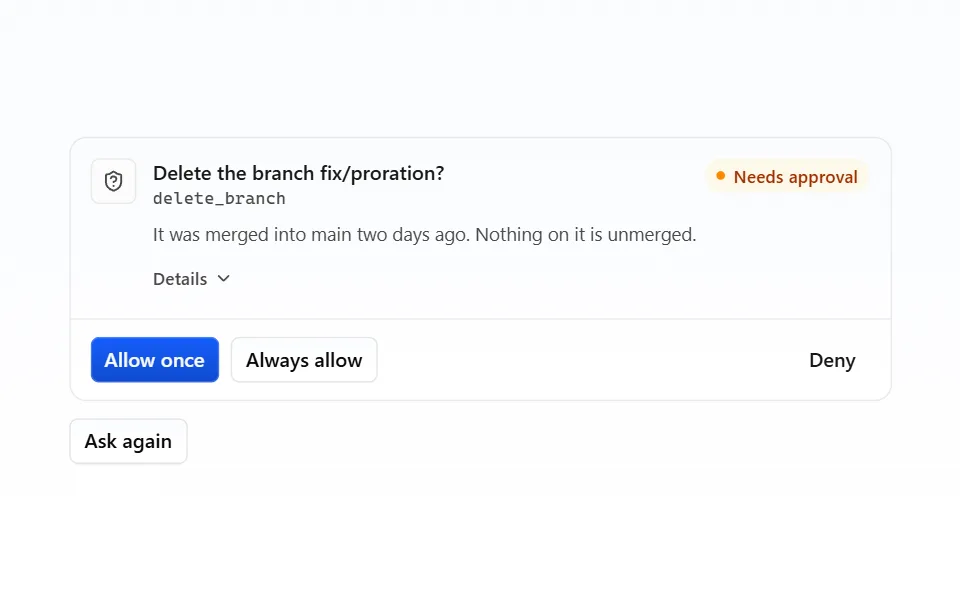
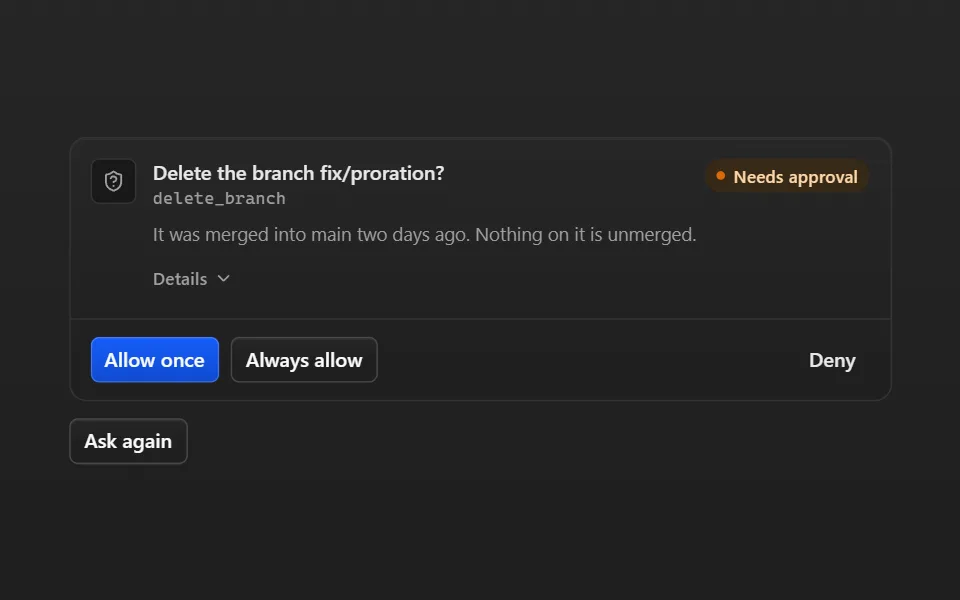
Tool Approval
An agent asking before it acts: the question first, its arguments one click below, and Allow once, Always allow and Deny in a footer that folds away once answered, leaving a record of the outcome.
data display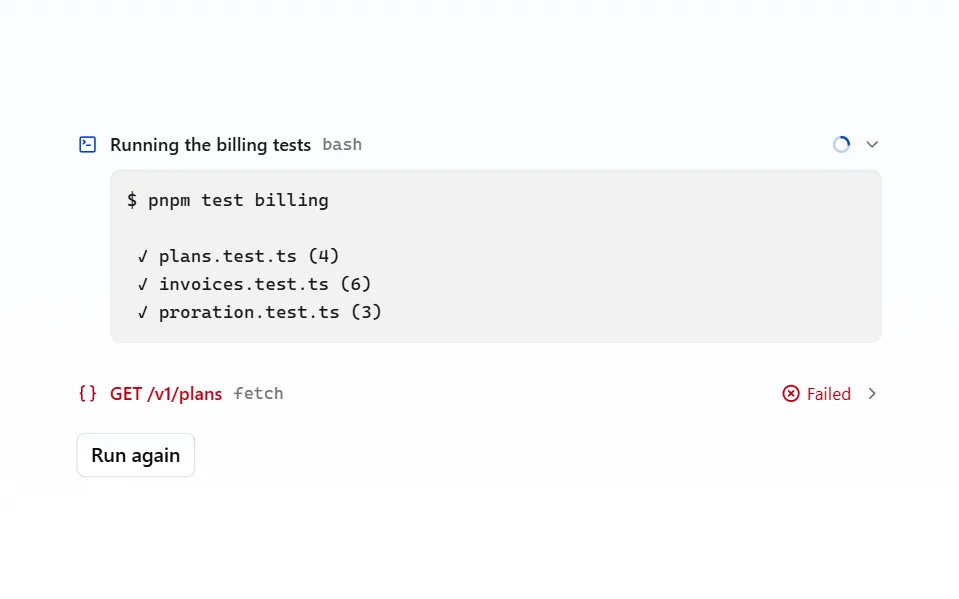
Tool Result
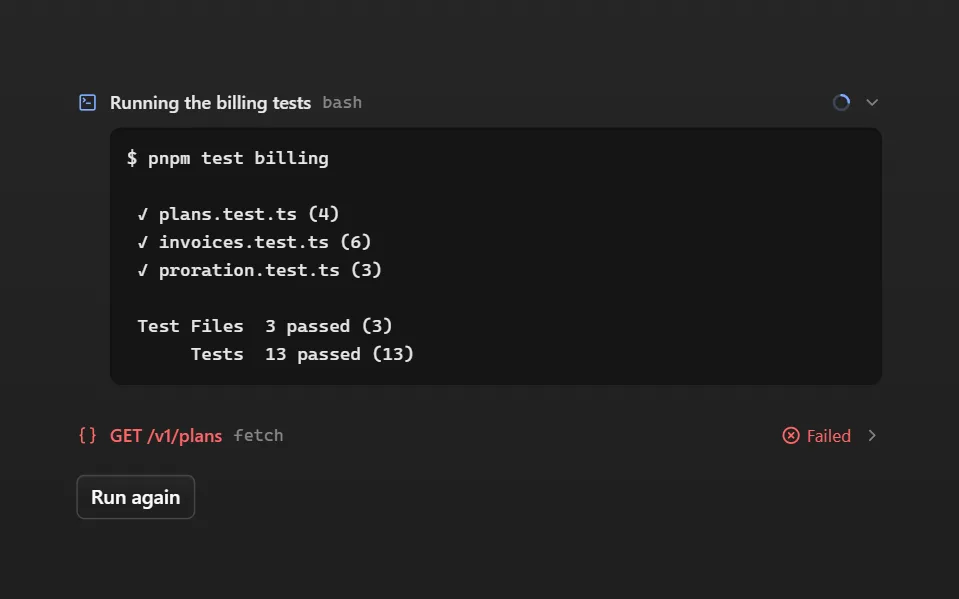
One agent tool call and its output: a Trace line that summarises what ran and how it went, over output that follows a running call and folds away when it finishes, with copy and run again.
data display